Icône de l'app 2FA
New Native Liquid Glass design for iOS 26

Your 2FA codes.
Finally beautiful.

The authenticator you'll actually enjoy opening. Codes right above your keyboard, a home-screen widget, and zero tracking — no account, ever.

Download on the App Store Discover

iPhone, iPad & Mac · Free · Pro from €4.99/year or €19.99 once

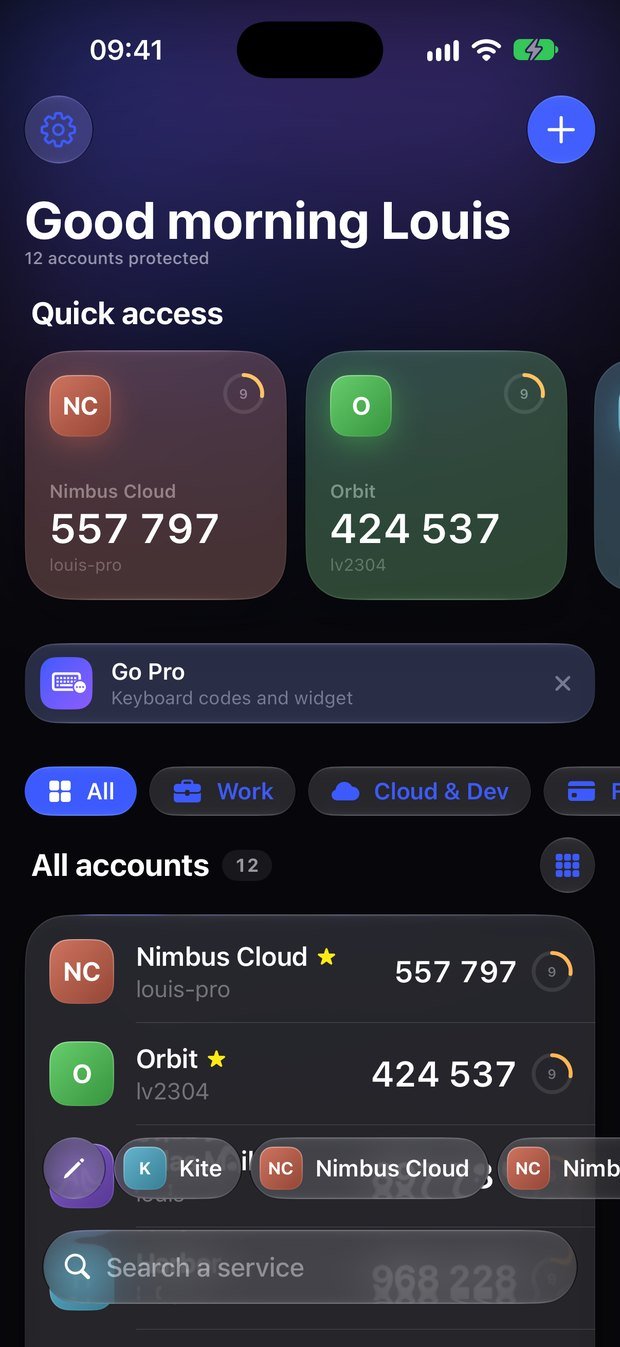
Vue grille
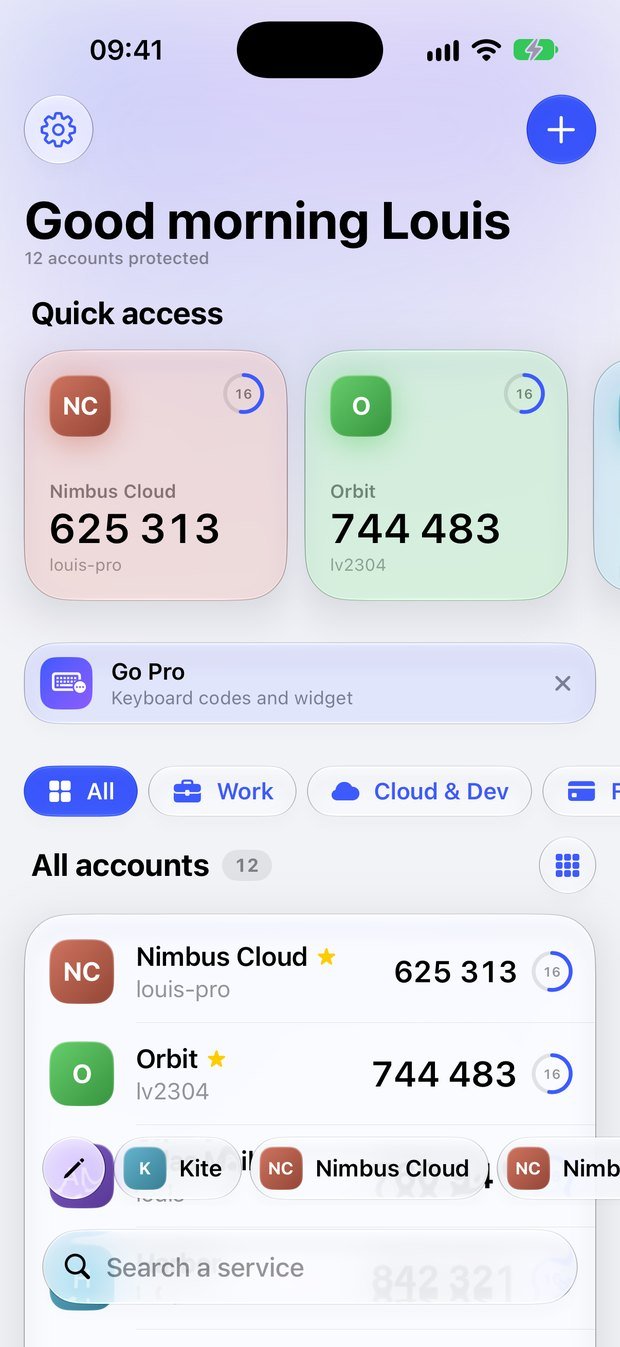
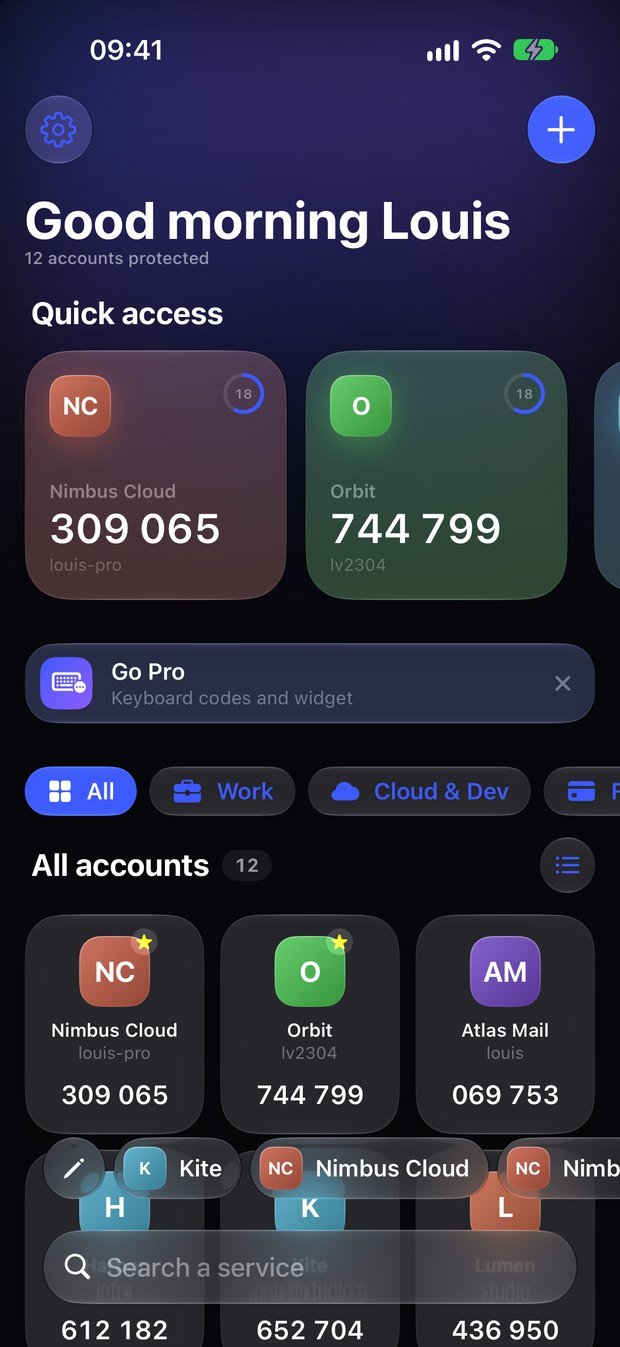
Écran d'accueil de 2FA
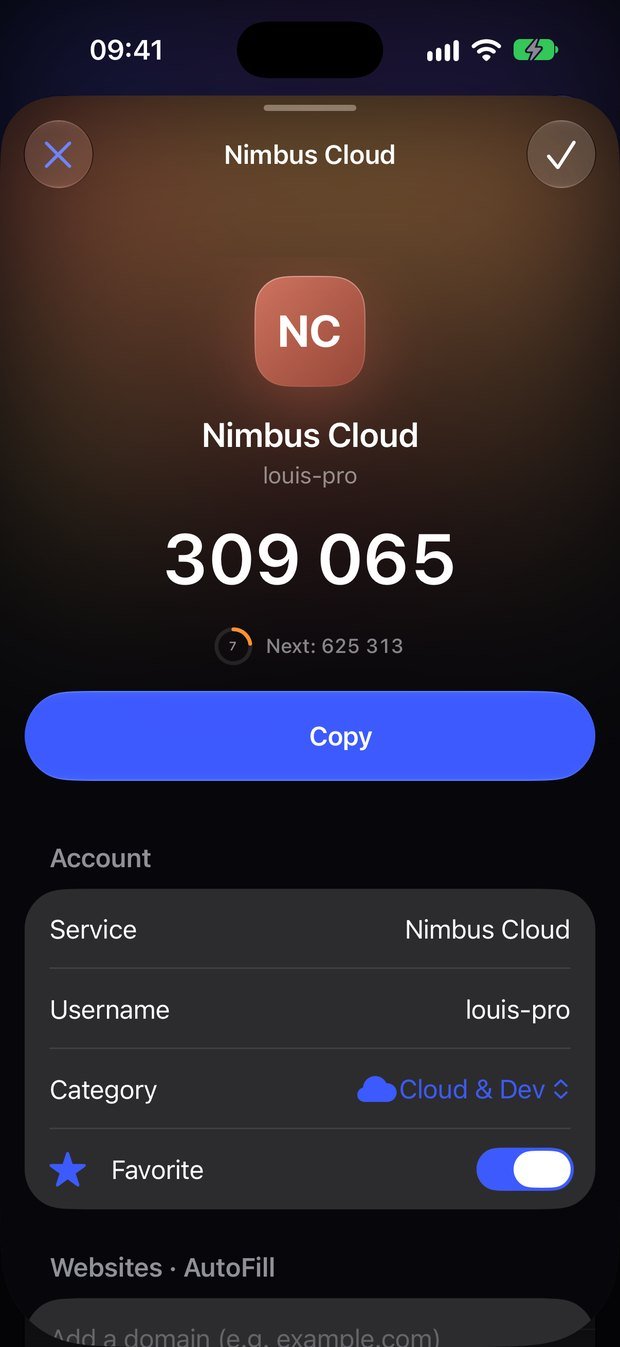
Fiche d'un compte
Pro The killer feature

The right code, right above your keyboard.

Logging into your cloud host, your code forge or your bank? 2FA knows which site you're on and suggests the matching code in Safari and your apps. One glance with Face ID and it's filled in — no app switching, no copy-paste.

  • Matches the website automatically
  • Face ID before every fill
  • Works in Safari and in apps

Everything you need. Nothing you don't.

Designed like a premium banking app, built like a vault.

Your most-used codes, one tap away

Quick access cards and a Liquid Glass dock with the codes you copy most. Tap — it's copied. Rename each shortcut (“Work”, “Personal”) to tell them apart.

Home-screen widgetPRO

Open any account from your home screen. Codes are never displayed there.

Safari extensionPRO

Even on websites that hide their code field, a “Fill” bubble appears right below it. Face ID, done.

Sorted by Apple Intelligence

Accounts are categorised automatically, on device. 15 accounts on the same host? They're neatly grouped.

Import in seconds

Export QR codes or backup files from your previous app, otpauth links or screenshots.

iCloud Keychain sync

End-to-end encrypted by Apple. New iPhone? Everything follows you. No account to create.

Face ID lock

Locks after 5 minutes of inactivity, or right away if you prefer. Hidden codes and auto-cleared clipboard if you want.

Made to your taste

Light, dark, 8 accent colours or your own. Real service logos, list or grid view.

New Now on Mac

Your codes, one keystroke away on Mac.

Press ⌥⌘2 in any app, type two letters, hit Return: the code is copied. Your iPhone accounts arrive on their own through iCloud Keychain.

⌥⌘2 from anywhere

A Spotlight-like panel over any app. Paste right where you were.

Safari AutoFillPRO

The right code in the field, on every website thanks to the Safari extension. Confirmed with Touch ID.

In your menu bar

One click, every code, sorted by use. One purchase for iPhone, iPad and Mac.

We know nothing about you. On purpose.

No servers, no analytics, no ads, no third-party SDKs. Your secrets live in Apple's keychain, end-to-end encrypted. Even the categorisation runs on your iPhone.

  • No sign-up, no email
  • Data Not Collected — App Store privacy label
  • Standard otpauth export, you're never locked in

Read the privacy policy

2FA en mode clair

Free. With a Pro touch.

All the essentials are free forever. Pro unlocks the keyboard codes, the Safari extension and the widget — and supports an independent developer.

Free

0 €
  • Unlimited accounts
  • iCloud Keychain sync
  • Import from any app
  • Face ID, themes, real logos
  • Apple Intelligence categories

Questions

Can I import my accounts from another app?

Yes. Export your accounts from your previous authenticator (export QR codes or an unencrypted backup file), then scan them or pick the file or screenshots in 2FA. Multi-part exports are handled automatically.

What if I lose or change my iPhone?

With iCloud Keychain sync on, your accounts and preferences come back automatically on your new iPhone, end-to-end encrypted.

How do codes appear above the keyboard?

2FA is an iOS AutoFill provider. Enable it in Settings → General → AutoFill & Passwords. iOS tells 2FA which site you're on, and the matching code shows up in the suggestion bar.

What if a website doesn't suggest the code?

Some websites don't tell Safari where their code field is. Turn on the 2FA Safari extension (Pro) in Settings → Apps → Safari → Extensions and allow it on all websites: a “Fill” bubble then appears below the field, and Face ID or Touch ID fills it in. On Mac, turn it on in Safari → Settings → Extensions.

Is there a Mac app?

Yes, on the Mac App Store. It shows your iPhone accounts automatically through iCloud Keychain, lives in your menu bar, opens with ⌥⌘2 from anywhere and fills codes in Safari (Pro). One purchase covers iPhone, iPad and Mac.

Which services are supported?

Every service offering an authenticator app (TOTP or HOTP): cloud, email, social networks, banks, crypto, games…

Can I leave whenever I want?

Absolutely. Export all your accounts as standard otpauth links, compatible with every authenticator.
Make 2FA a pleasure.

Free on the App Store. Ready in 30 seconds.

Download for free